Deploying Databricks resources to a shared workspace with your team? You’ve likely run into this: jobs, schemas, or SQL warehouses with identical names clashing across developers.
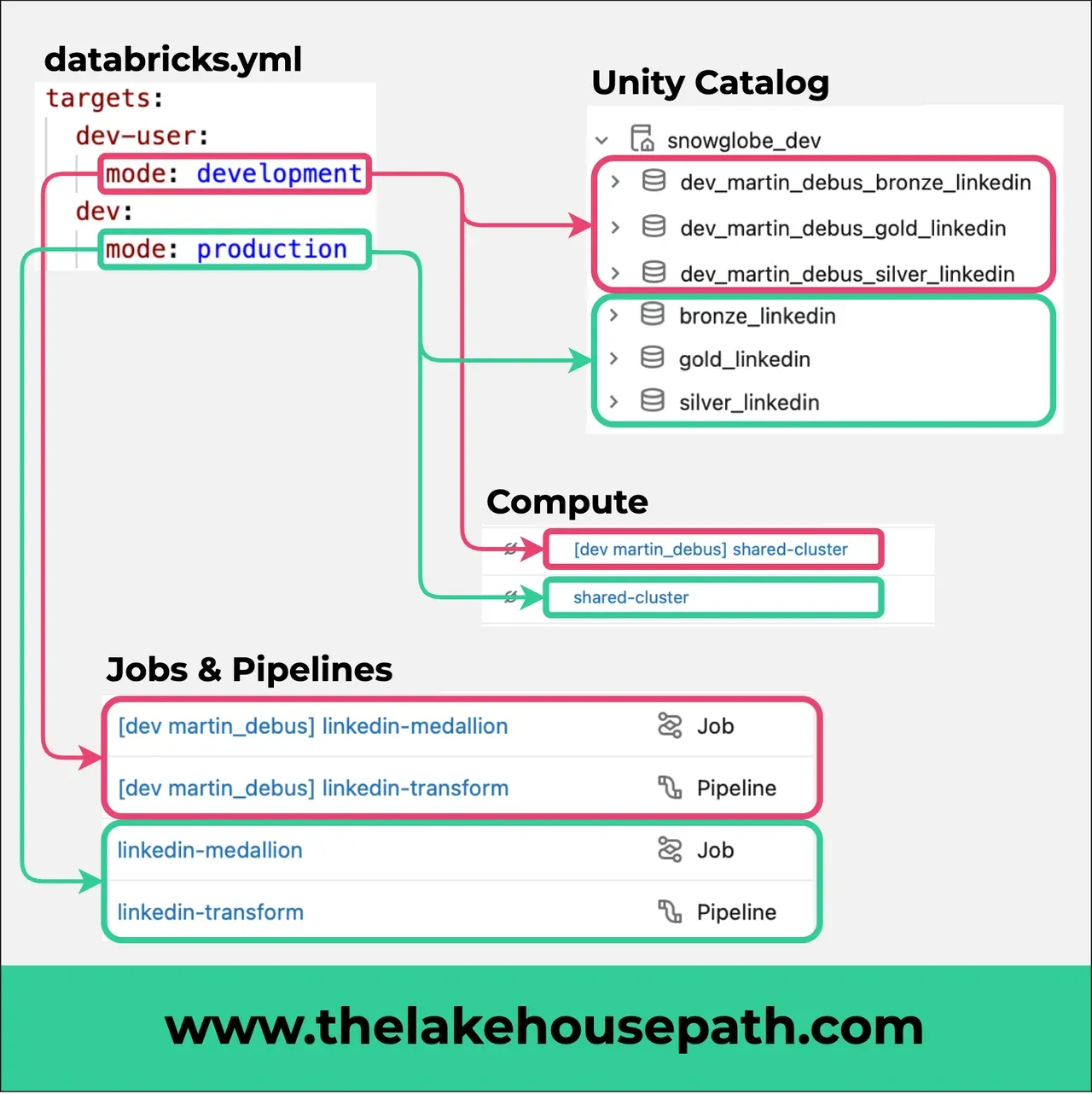
Databricks Declarative Automation Bundles (DAB) have a built-in solution: development mode. When enabled, all deployed resources are automatically prefixed with [dev <your-username>], giving every developer their own isolated copy of the full pipeline—no manual naming conventions, no collisions.
Some of the resources that get prefixed in development mode:
- Jobs
- Clusters
- Schemas
- SQL Warehouses
- Pipeline resources defined in your bundle
The result: every developer works with their own sandboxed version of the infrastructure—in the same workspace, without stepping on each other’s toes.
Are you already using Declarative Automation Bundles in your projects? Have you set up a dev/staging/prod target structure?