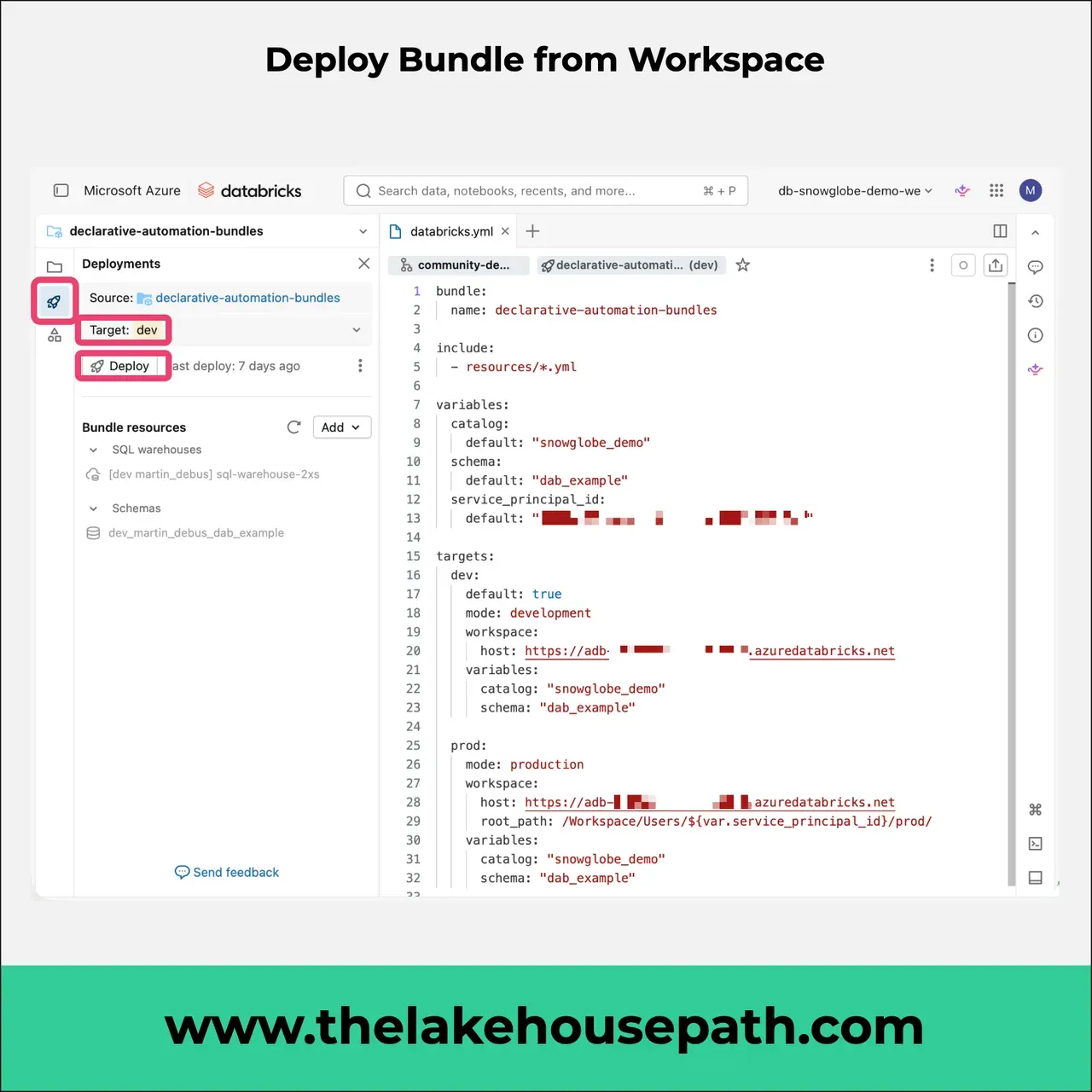
Declarative Automation Bundles can be deployed from within the Workspace.
DABs are a great way to bundle up your data product. There are several ways to deploy them. The most convenient, especially for non-technical users, is to do it from within the Databricks Workspace.
- Open the databricks.yml file.
- In the side panel, click on the little rocket.
- Choose your target.
- The resources that will be deployed will show up in the Bundle Resources section.
- Click deploy.
Your bundle gets deployed to the chosen target. Note that you can deploy only to targets within the same Workspace. For deployments across Workspaces (e.g. dev/prod), a proper CI/CD pipeline is the way to go.