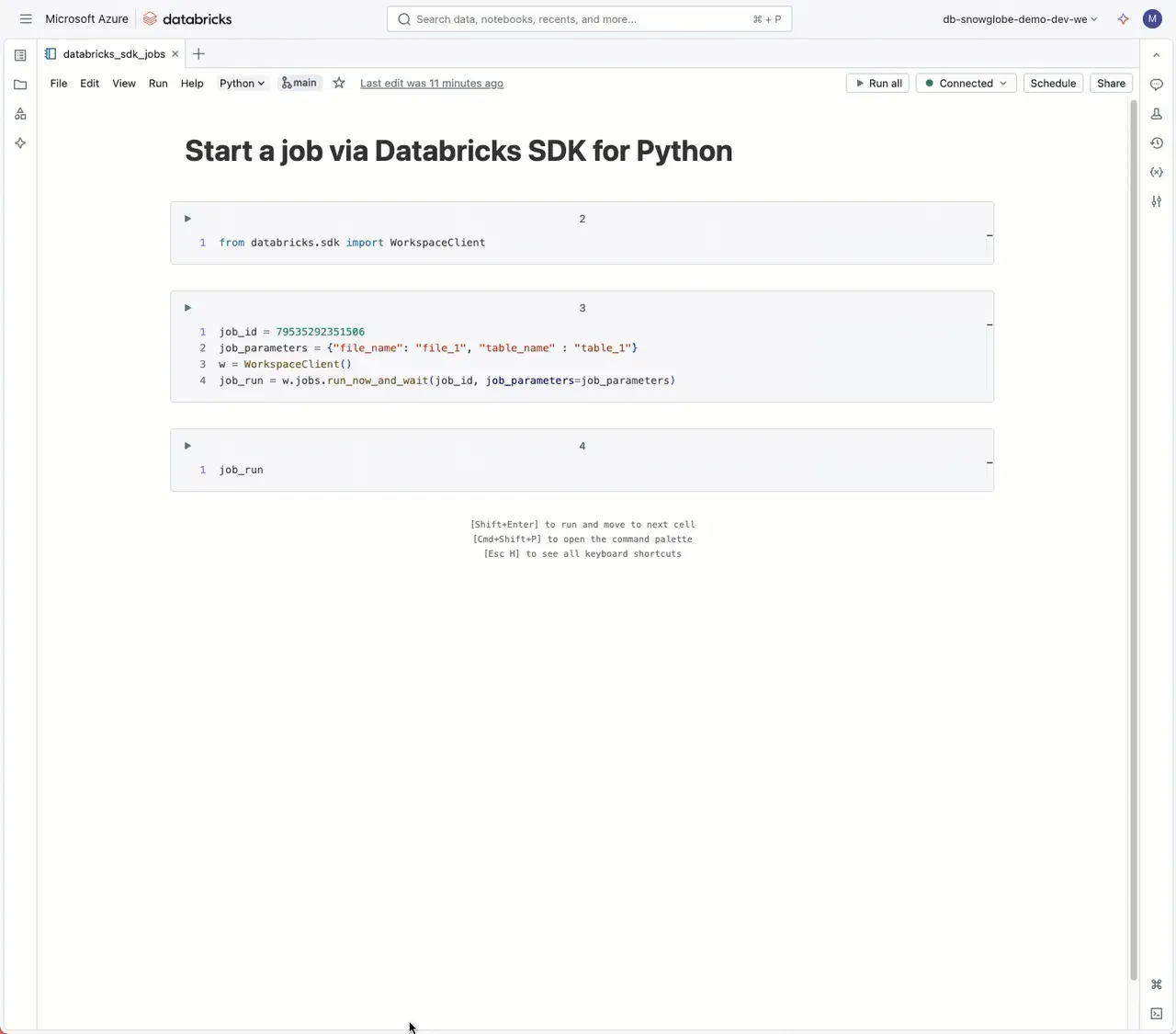
The Databricks SDK for Python is a powerful tool. I use it frequently to work with Jobs. Here’s how you can start a job using the SDK:
If you’re working within Databricks, you can use the SDK without authentication credentials since you’re already logged in. The SDK is essentially a wrapper around the Databricks API, offering greater ease of use compared to calling the API directly.
To start a job, follow these steps:
- Create a Job and note the Job ID.
- In your code, get a Workspace client.
- Define the job parameters.
- Start the job by calling either
w.jobs.run_now_and_wait(waits for the job to finish) orw.jobs.run_now(starts the job and returns the run ID only).
One particularly useful feature is the detailed run result. Using the SDK or API, you can also check the status of a job run, repair jobs, or create new ones. Essentially, anything you can do in the UI can also be done programmatically. This makes it a great tool for automation.
Link to the Workspace API and SDK documentation in the first comment.