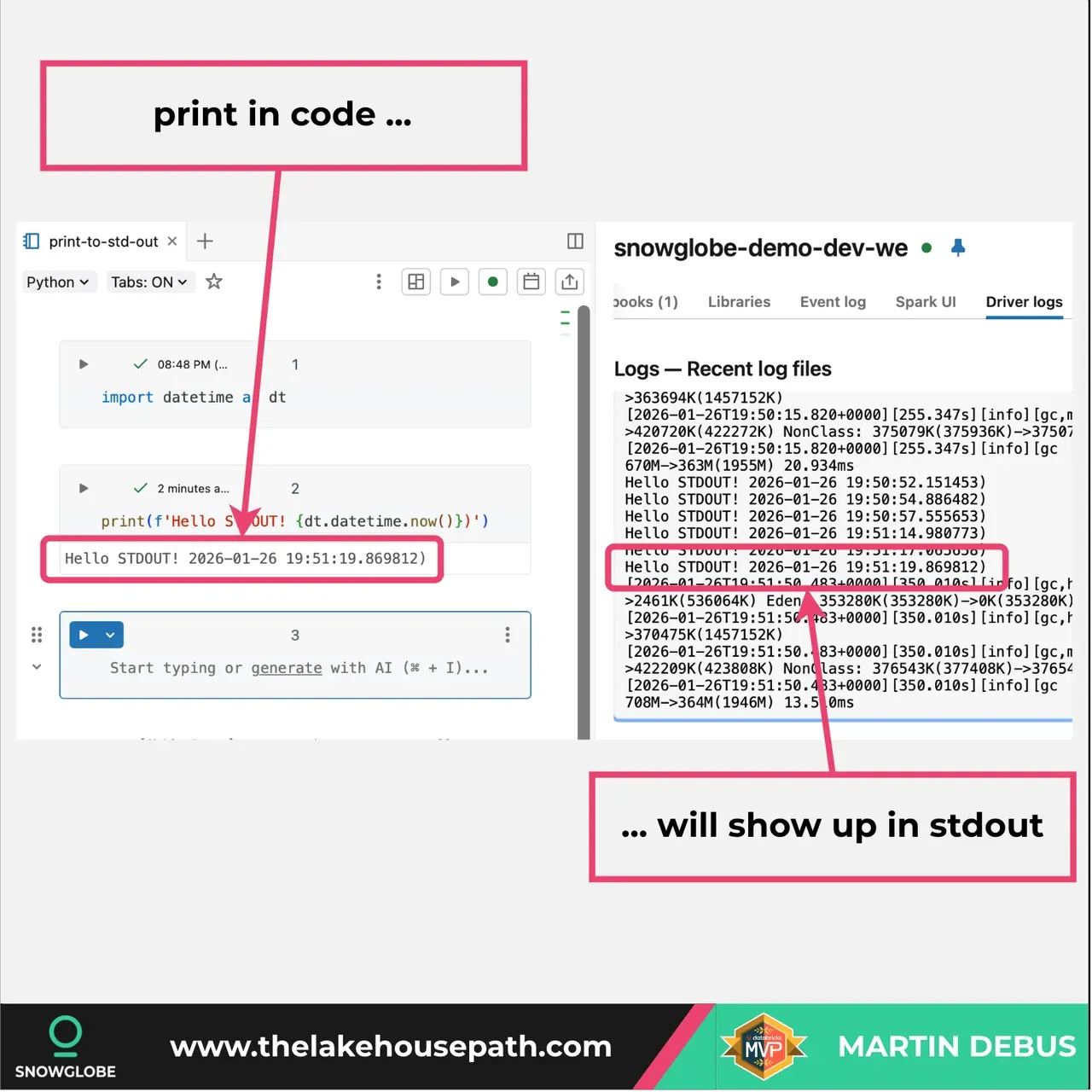
Every print statement in your Databricks code goes straight to stdout in the cluster logs.
When you run print() in your code, that output is written to the driver’s Standard Output (stdout) log file. You can access these logs from the Driver Logs tab on the cluster details page.
This is useful for quick debugging during development. However, there are some important things to know:
- Logs are delivered every five minutes to your configured destination if you have cluster log delivery enabled.
- The stdout logs can be viewed immediately in the UI, but take a few minutes to sync to storage locations like DBFS or Volumes.
- Print statements are fine for development, but for production use a proper logging framework like Python’s logging module or Log4j.
- Currently only supported for classic compute, not serverless.
So next time you add a print statement for debugging, remember it’s going to stdout in your cluster logs and you can find it in the Driver Logs section.
If you want to learn more about building a proper logging framework in Databricks, I created a three-part tutorial series on this topic. Check out my blog.