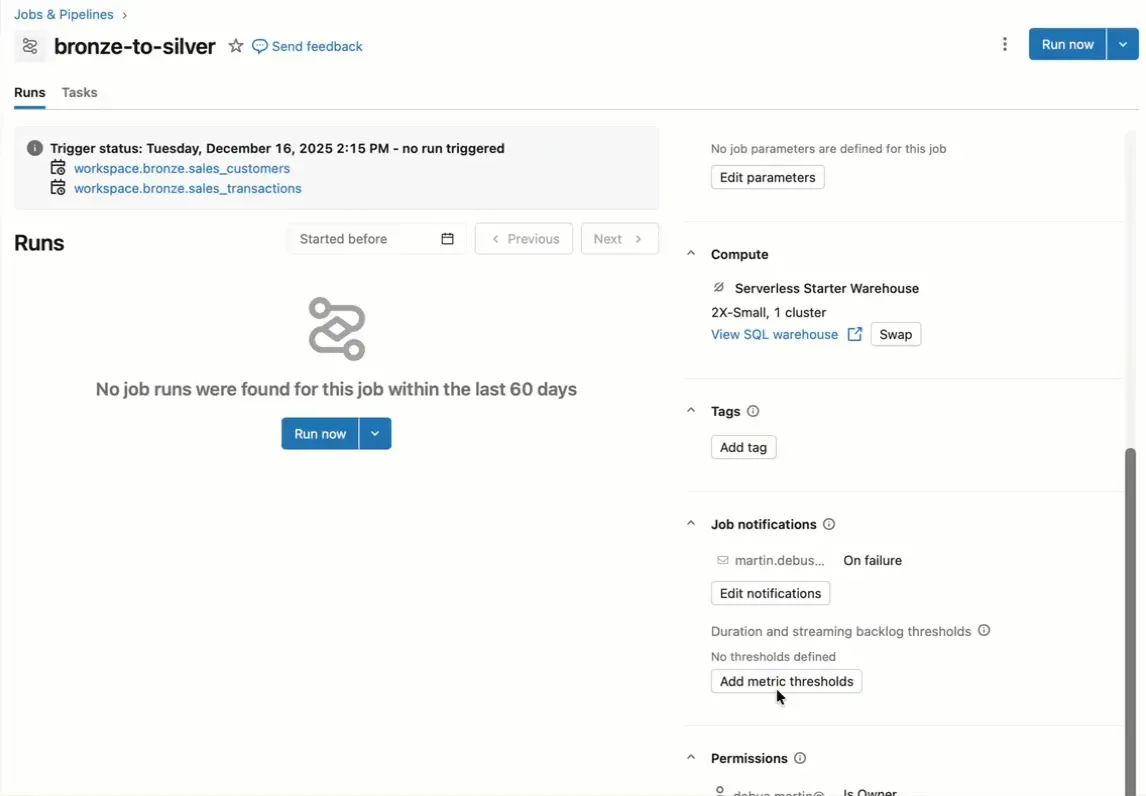
Don‘t forget to configure Job Run Duration Thresholds on your Databricks jobs over the holidays.
Recently, I ran into a job already running almost 200 hours due to some unknown issue. The job had no job duration thresholds configured. So it never ran into an error and it did not finish. It kept running. This is neither good for your data pipeline nor your cloud bill.
So, to avoid a costly surprise after Christmas, set up run duration thresholds. They come in two flavors:
- Warning: You’ll receive a notification when the job exceeds the warning period, alerting you that something might be wrong.
- Timeout: After the timeout period, the job is automatically terminated
A small configuration can save you time, money, and headaches!
This wraps up my 2025 LinkedIn posts. Thanks to everyone who commented, liked, shared or simply viewed my posts. That means a lot to me! The pipeline for January is already full with content. Now it is time for me to switch from Databricks to Lego bricks (my second passion besides Data & Analytics) over the holidays.